SHALA-AUTO BY P. CHOUDHARY
Smart Chrome extension built for teachers in Rajasthan on the Shaladarpan portal. Automates SmartClass entry with 1-click full week fill, ShalaSearch bot, WIFS tablet, student attendance, result entry & marksheet printing in seconds.
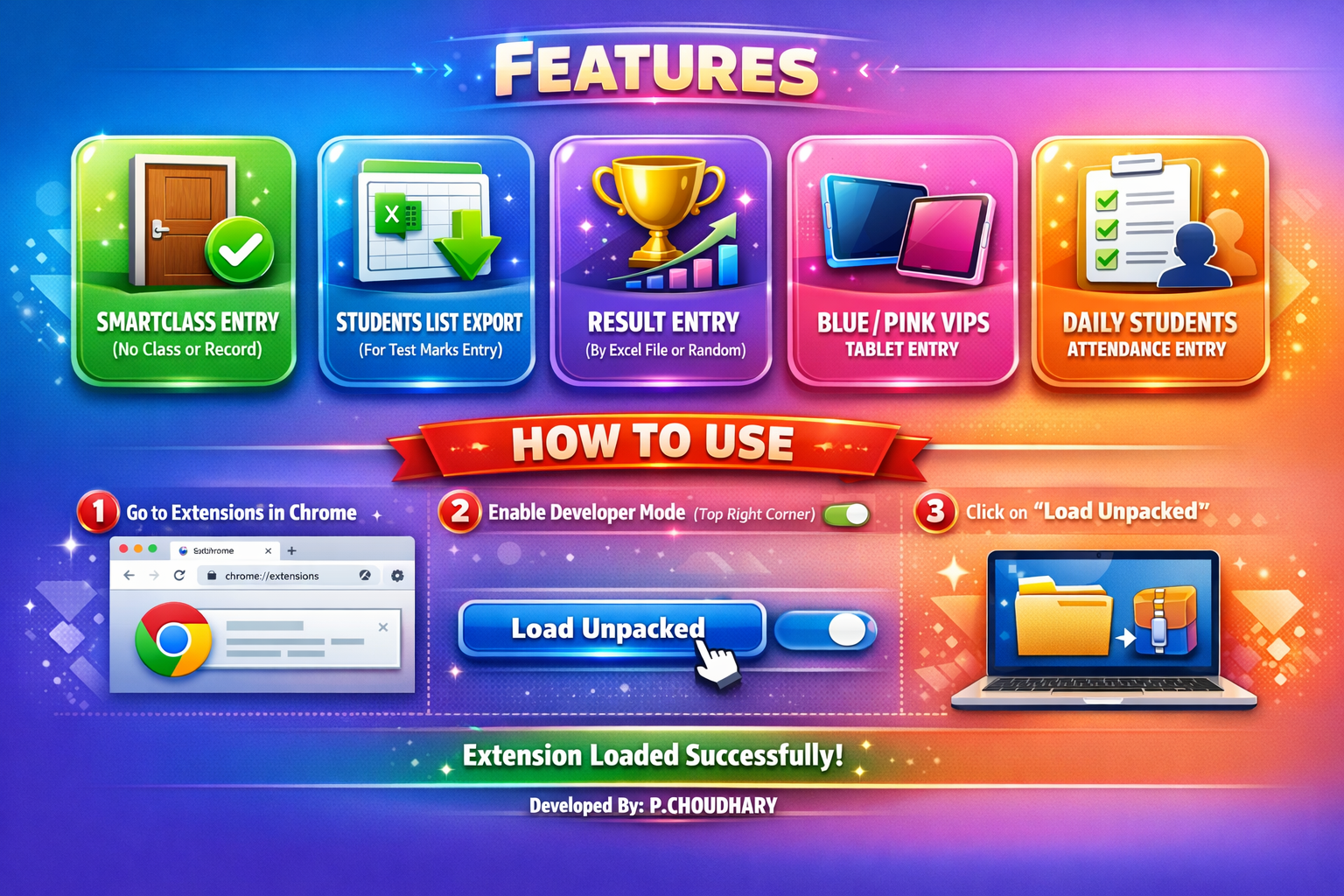
5 POWERFUL AUTOMATIONS
One extension, five daily teacher tasks handled automatically
ShalaSearch Bot
Instant intelligent search bot for Shaladarpan. Jump directly to any module, student entry form, result register, or scheme report in 1-click without searching menus.
SmartClass Entry
Auto-fill SmartClass daily usage with new 1-Click "Full Week Fill" capability. Fills the entire week's subjects and student counts in seconds.
Result Entry & Print
Bulk marks entry, result generation, marksheets batch printing, and verify/unverify operations — fully automated and error-free.
Daily Attendance
Mark daily student attendance records across all classes in seconds. High-speed, seamless data sync without portal freezes.
WIFS Tablet Entry
Automated WIFS tablet data entry for Rajasthan government school teachers. Eliminates repetitive form typing and misclicks.
HOW TO INSTALL IN CHROME
Install Shala-Auto in 4 simple steps on your browser
Open Chrome Extensions
Click ⋮ (3 dots) in top-right → Extensions → Manage Extensions.
Enable Developer Mode
Top-right corner में Developer Mode toggle ON करें।
Click "Load Unpacked"
Top-left में "Load Unpacked" button पर click करें।
Select Folder
ZIP file unzip करें और unzipped extension folder चुनें।
VERSION HISTORY & RELEASES
Track updates and new capabilities in Shala-Auto
WHAT'S NEW IN V7.5
Latest release with optimized Shaladarpan portal sync, improved SmartClass full week fill speed, enhanced WIFS batch entries, updated ShalaSearch Bot indexing, and general performance & stability fixes.
VERSION 7.4 RELEASE
Updated Shaladarpan portal automation, enhanced ShalaSearch Bot speed, 1-Click SmartClass full week fill enhancements, WIFS data sync, and overall performance optimizations.
VERSION 7.3 RELEASE
Added brand new ShalaSearch Bot to search and locate any Shaladarpan module instantly. SmartClass entry now features 1-Click 'Full Week Fill'. Complete UI redesign with minor bug fixes and overall ultra-smooth performance.
WHAT'S NEW IN V6.1
Added automated Result Generation, batch Marksheet Printing, bulk Verify/Unverify controls, and significantly faster page fill rates.
VERSION 6.0 RELEASE
Introduced WIFS Tablet entry automation for government teachers and refreshed user interface with smoother extension controls.
VERSION 5.0 RELEASE
Daily student attendance automation engine and major SmartClass entry stability enhancements.
DOWNLOAD SHALA-AUTO TODAY
Join thousands of Rajasthan school teachers saving time every day. 100% Free · No login required.
Download Free Extension (v7.5)